指南阅读约 2 分钟按所涉事件日期标注
Buying DDR5 kits for workstations and gaming PCs in 2026
With 32GB DDR5-6000 kits above 400 dollars, specification mistakes are expensive. What to fix in a purchase spec: capacity, speed and latency, two modules not four, EXPO or XMP, and the QVL.
提供英文和俄文版本。
InTechnologies
memory · ddr5 · guide
Desktop DDR5 has become a procurement line item rather than a rounding error. TechFuel’s buying guide, with prices read at Newegg on 24 September 2026, lists the cheapest 32GB (2x16GB) DDR5-6000 kit at 439.99 dollars and 64GB (2x32GB) kits from 939.99 dollars; the same guide cites Newegg’s own data that a 32GB DDR5-6000 kit cost about 80 dollars in mid-2025. DropReference’s tracker on 11 October showed US offers for 32GB DDR5-6000 kits between 499 and 570 dollars. With that much money in each kit, a specification error costs more than it used to.
What to specify
- Capacity first. Capacity is priced almost linearly up to 64GB, so buy what the workload needs: 32GB for gaming and office workstations, 64GB for content creation, virtualisation and large engineering models.
- DDR5-6000 at CL30 to CL36 is the sweet spot for AMD AM5, and DDR5-6400 for Intel Core Ultra 200S. TechFuel’s testing note is that anything between DDR5-6000 CL30 and DDR5-6400 CL32 gives effectively the same frame rates; DropReference adds that DDR5-6000 CL30 is faster than DDR5-6400 CL40, so read both numbers.
- CL30 over CL36 is worth 10 to 20 dollars, not 40 or more; the first-word latency difference at 6000 MT/s is about 2 ns.
- Two modules, not four. AMD’s own specification for Ryzen 9000, as cited by TechFuel, lists DDR5-5600 with two DIMMs and DDR5-3600 with four, so a 64GB build should be 2x32GB rather than 4x16GB. 2x24GB and 2x48GB kits exist but are more sensitive to board support.
- Match the profile to the platform: EXPO for AMD, XMP 3.0 for Intel. Some kits carry only one. A kit without the profile enabled runs at its JEDEC default, often 4800 MT/s, so BIOS configuration belongs in the build checklist. Check the motherboard QVL for any kit above 6000 MT/s.
On brands, TechRepublic’s October round-up names G.Skill’s Trident Z5 NeoX 6000 CL30 EXPO kit as its overall pick at 629.99 dollars, Corsair’s Vengeance 6000 CL30 for dual-profile support, and Kingston’s Fury Beast 6000 CL30 as the low-profile choice that clears tall air coolers. Corsair’s product page for its XMP 6000 CL30 kit illustrates the point that matters for IT departments: the SPD default is 4800 MT/s at CL40 and 1.1V, and the tested 6000 CL30 profile runs at 1.40V and requires enabling in BIOS.
What it means for buyers
Standardise on one kit SKU per platform, record it in the build specification with the exact part number, and buy complete kits rather than single modules, since modules from different production lots are not guaranteed to train together. Order the year’s volume in advance where possible; retail prices have moved week to week through 2026 and the memory makers’ published forecasts show no relief before 2027. If 96GB or 128GB will be needed later, confirm board and CPU support for 2x48GB or 2x64GB kits before choosing the platform. InTechnologies can supply Kingston Fury Beast DDR5-6000 32GB kits and quote Corsair and G.Skill equivalents.
来源
目录中的相关产品
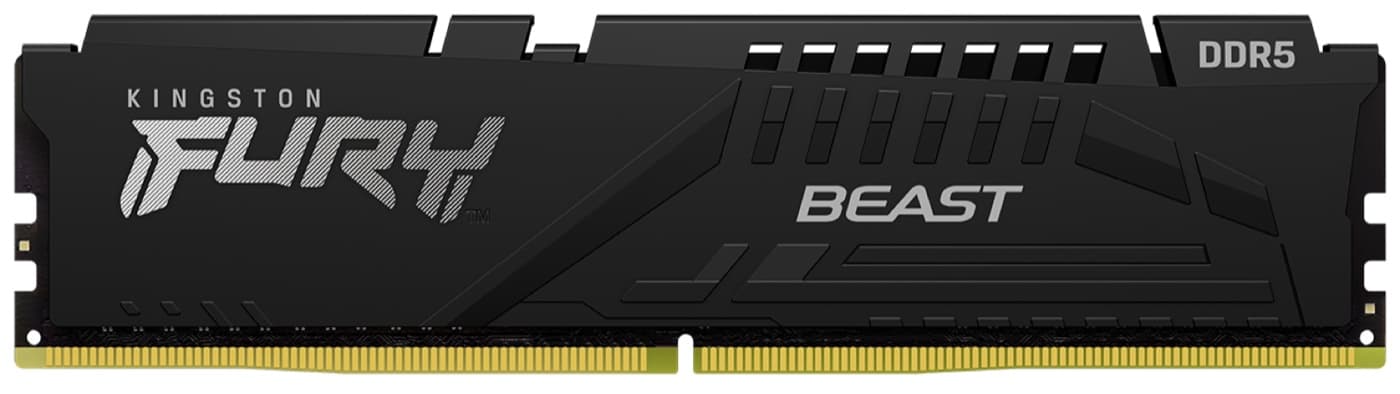
Kingston FURY Beast DDR5-6000 32GB 套装(2 x 16GB)
低矮型 DDR5-6000 CL36 套装,内置 AMD EXPO 和 Intel XMP 3.0 配置文件